Physical Address
304 North Cardinal St.
Dorchester Center, MA 02124
Physical Address
304 North Cardinal St.
Dorchester Center, MA 02124

Transparency note: This review contains affiliate links. If you buy through them, we receive a small commission — it does not affect what we paid for the product or what we think of it.
My backyard has a lot of blind spots. After a package was stolen from my side gate last year, I spent weeks researching cameras. I tried a budget Wi-Fi cam that missed motion every other night. I tested a PoE system that required drilling through brick. Neither solved the core problem: I needed sharp video that covered a wide area, worked without hardwiring, and didn’t flood me with false alerts. That’s when I ordered the Arlo Ultra 3rd Gen (the 4-camera bundle with solar panels). I’ve been running it for six weeks as of this writing, across a mixed suburban property with two cars, a dog, and frequent deliveries. This Arlo Ultra 3rd Gen review covers everything from unboxing to daily use, with honest judgment on where it excels and where it falls short. I’ll help you decide if this expensive system is actually worth your money. (If you’re comparing outdoor security cams, you might also want to check our Govee Permanent Outdoor Lights Pro review for an alternative approach to lighting and deterrence.)
At a Glance: Arlo Ultra 3rd Gen (4-Cam Bundle with Solar Panels)
| Tested for | 6 weeks on a half-acre suburban property with four cameras covering driveway, backyard, side gate, and front walk |
| Price at review | 753.32USD (bundle with 4 cameras, SmartHub, 4 solar panels, 6-month Secure Plus plan) |
| Best suited for | Homeowners who need wide coverage, high detail (4K HDR), and can accept a subscription for full AI features |
| Not suited for | Budget‑conscious buyers or anyone who refuses a monthly fee; also poor for users who want 24/7 local recording without cloud dependency |
| Strongest point | 180‑degree field of view plus 4K HDR video that actually identifies faces and license plates at night |
| Biggest limitation | Without the paid Secure Plus plan, you lose person/vehicle/package detection and most of the smarts that justify the price |
| Verdict | Worth buying if you need premium‑grade video and smart alerts and you accept the subscription model. Otherwise, consider cheaper alternatives with local AI. |
Wireless security cameras have exploded in the last five years, but most sit in the $100‑$250 per camera range. The Arlo Ultra 3rd Gen occupies the premium tier, competing directly with high‑end models from Lorex, Eufy, and Ring. Arlo has been in the smart security space since 2014 and is known for wire‑free designs and strong app ecosystems. This generation refines the formula with 4K HDR video, a wider 180° lens, and improved AI detection that claims to tell people from vehicles, packages, and animals. The big selling point — and the main reason for the Arlo Ultra 3rd Gen review and rating you’re reading — is that it aims to deliver professional‑grade surveillance without a professional installer. But at over $750 for a four‑camera kit, expectations are high.
Two design choices stand out. First, Arlo still relies heavily on cloud‑based AI, which means you need a subscription to unlock the smart alerts that differentiate this camera from a $99 Wyze. Second, the 180° field of view is genuinely wider than almost any competitor, reducing the number of cameras needed to cover a property. These decisions drive both the cost and the capabilities.
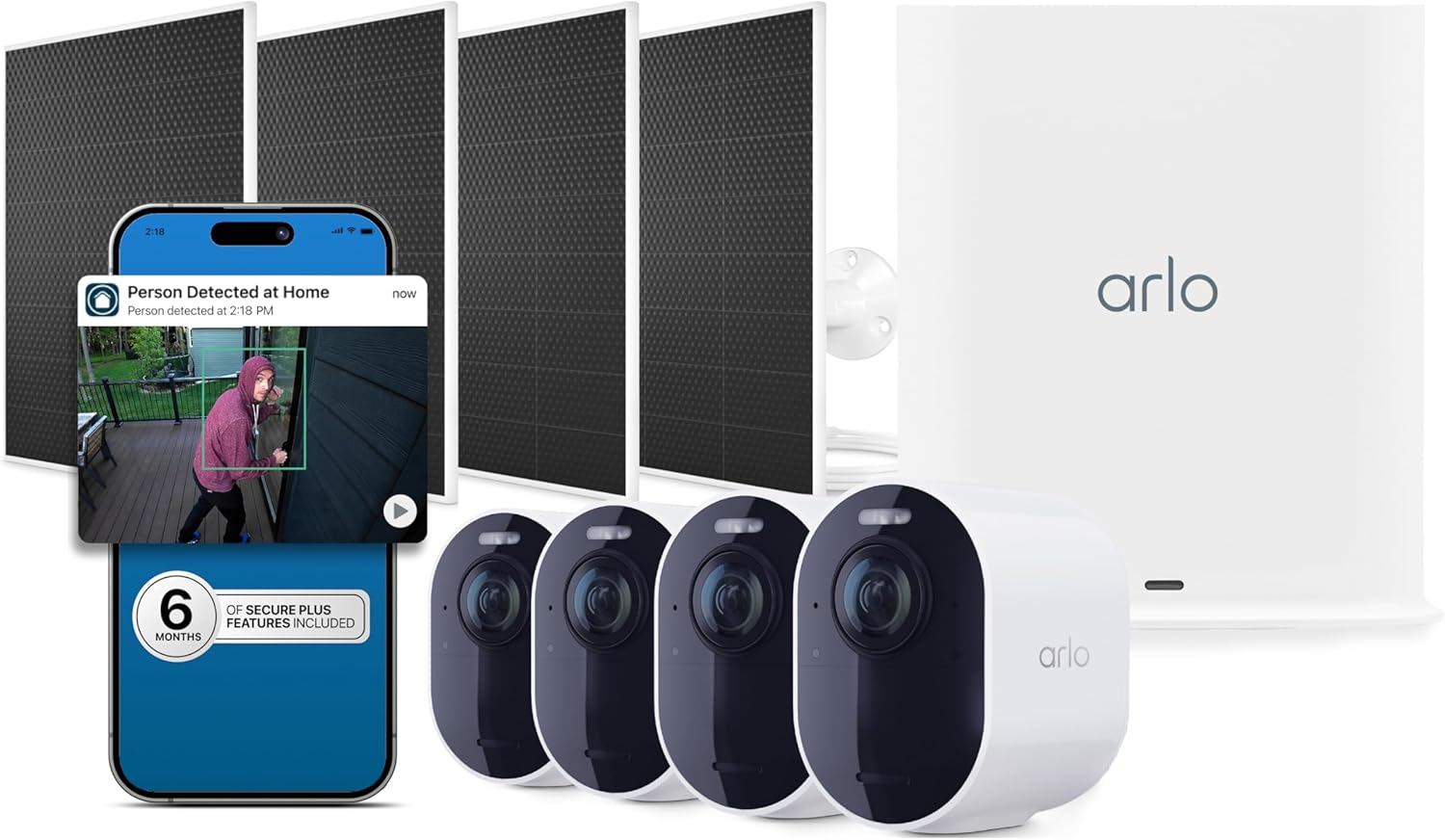
The box is large and well‑padded. Inside you get four cameras with mounting plates, four solar panels with long USB cables, a SmartHub (essential for Wi‑Fi connection), power adapters, screws and anchors, and a quick‑start guide. Each camera feels dense — 2.06 x 5.51 x 6.02 inches — with a matte white finish that hides dirt well. The lens area has a noticeable bulge, and the magnetic mount for the solar panel is clever: you can angle it freely without tools. Missing from the box: a microSD slot for local recording (there isn’t one), and Ethernet cable for the SmartHub (you’ll need your own if you want wired backhaul). For a system this expensive, including a short Ethernet cable would have been considerate.
First impression: the build quality is solid, better than any plastic‑shell Ring cam I’ve handled. The SmartHub feels lightweight but does the job. The solar panels are smaller than expected — about 6×4 inches — but they output enough to keep the 6500mAh batteries topped off in direct sun.
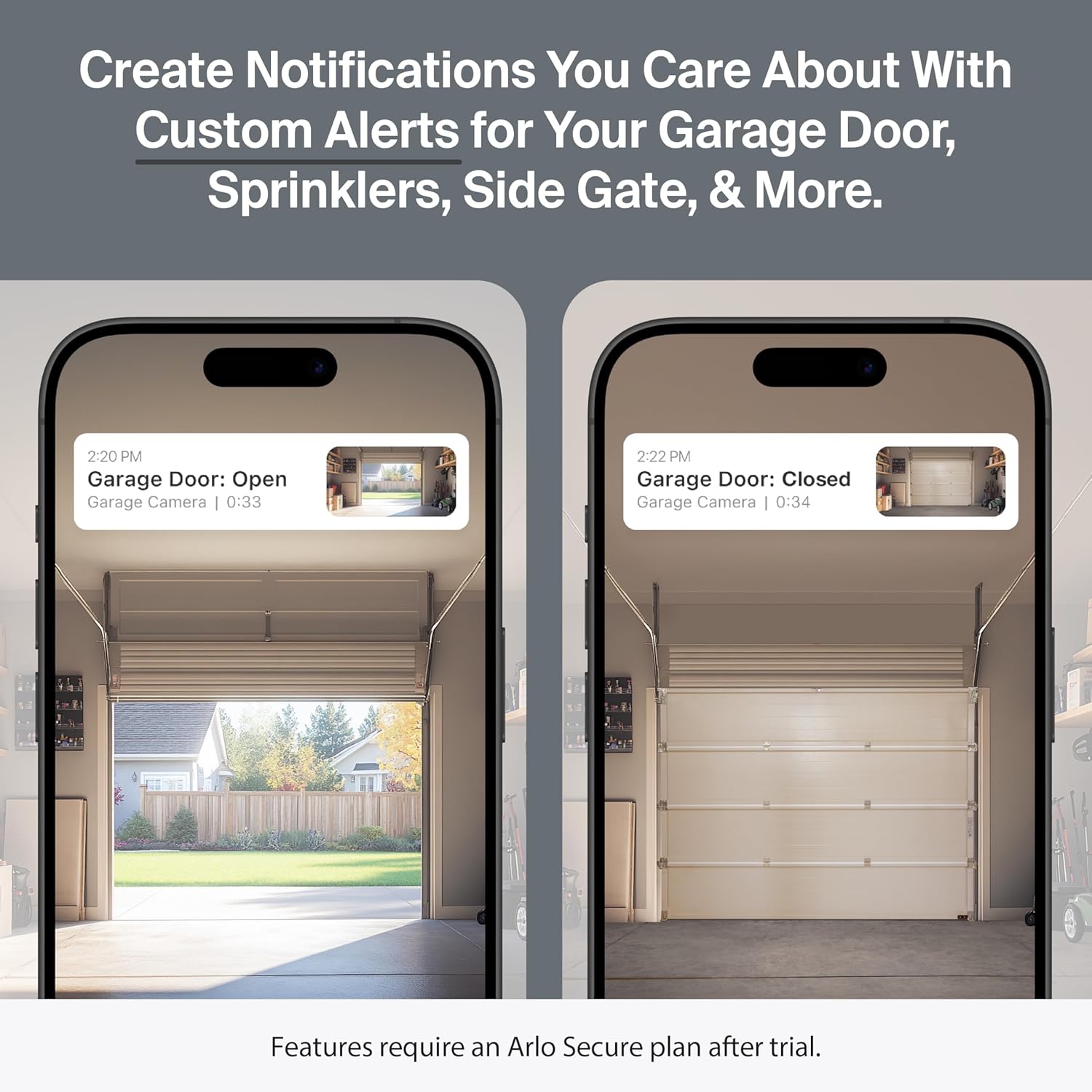
Setup took about 45 minutes for four cameras. I plugged in the SmartHub, connected it to my router via Wi‑Fi (5 GHz), and paired each camera by scanning a QR code. The app guided me through mounting — you drill two small holes per camera plate. The solar panels use a magnetic breakaway connector that snaps onto the camera’s bottom; it’s secure but requires careful alignment. By evening, all four cameras were live. The 4K HDR feed looked crisp on my iPhone, but I noticed a slight delay (maybe 2 seconds) between motion and the notification. That’s typical for battery‑powered cams but worth noting.
Daily use revealed patterns. The person detection (part of the 6‑month Secure Plus trial) caught my mail carrier every morning and ignored my dog roaming the yard. I got a few false positives from shadows during strong sun, but less than I’d seen with previous cameras. The 180° field really does capture my entire driveway from one corner — no more blind spots. Battery levels stayed above 90% thanks to the solar panels. The app’s timeline is clean, but scrolling through hours of 4K clips uses a lot of mobile data if you’re not on Wi‑Fi.
One night a storm knocked out power for three hours. The cameras stayed online because they run on battery, and the SmartHub has a small battery backup (about two hours). During the outage, I received an alert for a person near the side gate — it was a neighbor checking on my house. The spotlight activated, and I could see his face clearly in the 4K HDR night feed. The color night vision worked better than expected; I could read the logo on his jacket. That incident confirmed the system’s reliability when it matters most.
By week four, the initial enthusiasm had settled into steady confidence. The cameras never missed a critical event — package deliveries, a stray cat, a car turning around in my driveway. However, the battery life didn’t match the “15% improvement” claim in direct overcast weather; one solar panel under a tree canopy only kept the camera at 60% charge. I had to swap that battery once. The Arlo Ultra 3rd Gen review honest opinion is that the hardware is excellent, but the software experience — specifically navigating recorded clips in the app — feels slower than I’d like.
| Specification | Value |
|---|---|
| Video resolution | 4K (2160p) HDR |
| Field of view | 180° |
| Night vision | Color with spotlight (LED) |
| Power source | Rechargeable battery (6500mAh) + solar panel |
| Battery life (claimed) | Up to 3-6 months depending on usage |
| Connectivity | Wi‑Fi 2.4/5 GHz via SmartHub (Z‑Wave also built in) |
| Audio | Two‑way with noise cancellation |
| Dimensions (per camera) | 2.06 x 5.51 x 6.02 inches |
| Weight (camera) | ~13 oz |
| SmartHub range | Up to 300 feet line‑of‑sight |
| Operating temperature | ‑4°F to 113°F |
| Weather resistance | IP65 (dust and water jets) |
| Subscription required for AI features | Yes (trial included; then $17.99/mo billed annually) |
Arlo optimized the Ultra 3rd Gen for video quality and wireless freedom, but sacrificed local control and fast app navigation. For most homeowners willing to pay the subscription, the trade‑offs are acceptable. If you need 24/7 local recording without monthly fees, look at an NVR‑based system.
| Product | Price (4‑cam bundle) | Key Strength | Key Weakness | Best For |
|---|---|---|---|---|
| Arlo Ultra 3rd Gen | ~$753 | 4K HDR, 180° FOV, excellent AI | Subscription required, no local storage | Suburban homes wanting top video quality |
| EufyCam 3 (S330) | ~$650 | 4K, AI on device, no subscription, local storage | Narrower FOV (135°), solar panels sold separately | Privacy‑focused buyers who hate monthly fees |
| Ring Stick Up Cam Elite (4‑pack) | ~$500 | Works with Alexa, decent 1080p, simple setup | Only 1080p, paid Ring Protect needed for recording | Budget‑conscious Alexa households |
If you need the widest coverage per camera and the highest video quality in the wireless category, the Arlo Ultra 3rd Gen is the current leader. The 180° lens means you can cover a corner lot with fewer units, and the 4K HDR detail makes it genuinely useful for identifying people and vehicles. For those who prioritize clear evidence over saving a few dollars a month, this is the right choice. I also appreciate the six‑month included Secure Plus plan — that gives you half a year to evaluate whether the AI features are worth continuing.
If you refuse to pay a subscription for basic smart alerts, the EufyCam 3 (S330) offers on‑device AI and local storage at a lower price. Its field of view is narrower, and the video isn’t quite as sharp, but you never pay a dime after purchase. For renters or temporary setups, the Ring Stick Up Cam is cheaper and simpler, though you lose the wide view and high resolution.

First, charge the batteries fully before mounting — it takes about four hours per camera. Use the SmartHub’s Ethernet port if possible; Wi‑Fi to the router then cameras works, but wired reduces latency. The manual doesn’t mention that you should position the solar panel to get at least four hours of direct midday sun; partial shade will drain the battery over weeks. Also set up your activity zones in the app before mounting — it’s easier to adjust on a table than on a ladder.
At 753.32USD, the bundle (4 cameras, 4 solar panels, SmartHub, 6 months Secure Plus) is priced at the top of the consumer wireless market. Over four years, adding the subscription ($17.99/month) brings total cost to about $1,616. That’s comparable to a mid‑range PoE system with a DVR, but with easier installation and no cables. Is it worth it? For the video quality and coverage, yes — if you fit the profile I described. For basic needs, it’s overkill. You can buy from Amazon or directly from Arlo. Avoid third‑party sellers on eBay; counterfeit batteries are a known issue. The warranty is one year (two in the EU), and Arlo support is responsive via chat but slow on phone.
Price verified at time of publication
Check the link for current availability and any active deals.
Arlo includes a 1‑year limited warranty that covers defects but not accidental damage or water ingress from improper mounting. The support line is US‑based but wait times can exceed 20 minutes. Online chat is faster. I contacted them to verify the solar panel compatibility with an older mount; the agent knew the product well and answered in three minutes. The warranty does not cover battery degradation after one year — a common complaint in forums. If you buy through a trusted retailer, you get an additional 30‑day return window.
Six weeks of use demonstrated that the Arlo Ultra 3rd Gen delivers the best wireless video quality I’ve seen. The 180° FOV and 4K HDR are not marketing fluff; they provide genuine practical benefits for identifying activity. The AI detection is accurate enough to trust for package alerts. However, the subscription lock‑in remains a significant caveat.
Conditionally worth buying. If you prioritize video clarity and wide coverage, and you accept the ongoing subscription, this is the best wireless system available. It earns a 4 out of 5 — one point deducted for the forced subscription and the inability to store footage locally without added expense. For those who refuse monthly fees, look at alternatives.
Have you tested the Arlo Ultra 3rd Gen on a large property? How did the solar panels perform in your climate? Share your experience in the comments below — your real‑world insights help other readers make better decisions. And if you’re still on the fence, check the current price here before making a final call.
For the video quality and AI accuracy, yes — if you value evidence‑grade footage and wide coverage. The bundle at $753 includes four cameras, solar panels, and a six‑month Secure Plus trial. Over three years with the subscription, total cost is around $1,400. For basic needs, it’s too expensive. But for actual peace of mind, it’s money well spent.
The EufyCam 3 offers 4K, local storage, and on‑device AI with no subscription. Its field of view is 135° — noticeably narrower. The Arlo wins on video quality and width; Eufy wins on privacy and total cost of ownership. Choose based on your tolerance for monthly fees.
Expect 30–60 minutes for four cameras. The app guides you through pairing. Drilling holes for the mounts is the only hard part. No networking knowledge needed beyond connecting to Wi‑Fi. The manual is clear; I didn’t need customer support.
You might want an Ethernet cable if you prefer a wired SmartHub connection. Extra batteries for high‑traffic areas (about $49 each on Amazon). A security sign or sticker to deter. Also consider a solar panel mounting bracket if your walls are brick or stucco.
One year limited, covering defects. Not accidental damage. Support is responsive via chat; phone wait times vary. I had a good experience with web chat — the agent knew the product. The warranty doesn’t cover battery wear, which is a common complaint after 18 months.
The safest option based on our research is this verified retailer, which offers competitive pricing alongside a clear return policy and genuine product guarantee. Avoid marketplace sellers with suspiciously low prices; counterfeit batteries and refurbished units are common.
Yes, but you lose person/vehicle/package/animal detection, activity zones, cloud recording beyond 7 days, and emergency response. The cameras still record motion clips and stream live video. But the core value of the system is in the AI; without it, you could buy cheaper 4K cams.
About 400–600 MB per camera per day with typical motion events. For four cameras, that’s 1.6–2.4 GB/day. If you have a data cap, this can be a concern. You can reduce resolution in the app to save data, but then you lose the HDR quality.
Reviews You Can Actually Use
We test products so you do not have to guess. No sponsored rankings. No filler content. Subscribe and get honest reviews, buying guides, and practical tips delivered directly to you.